





















Draft PDF for review
0 likes3 downloads0 comments
Install it
- Open Filee and go to Presets.
- Click Preset gallery and find “Draft PDF for review”.
- Click Install. The presets are added next to your own and never replace them.
Or download the file, then open General in Filee's settings and click Import…
SHA-256 84fa08ce0536df8d1afed2361c6ebe16ace8189b7d90f39650173405a0e0f4a6
Needs Filee 2.5.0 or later.
About this preset
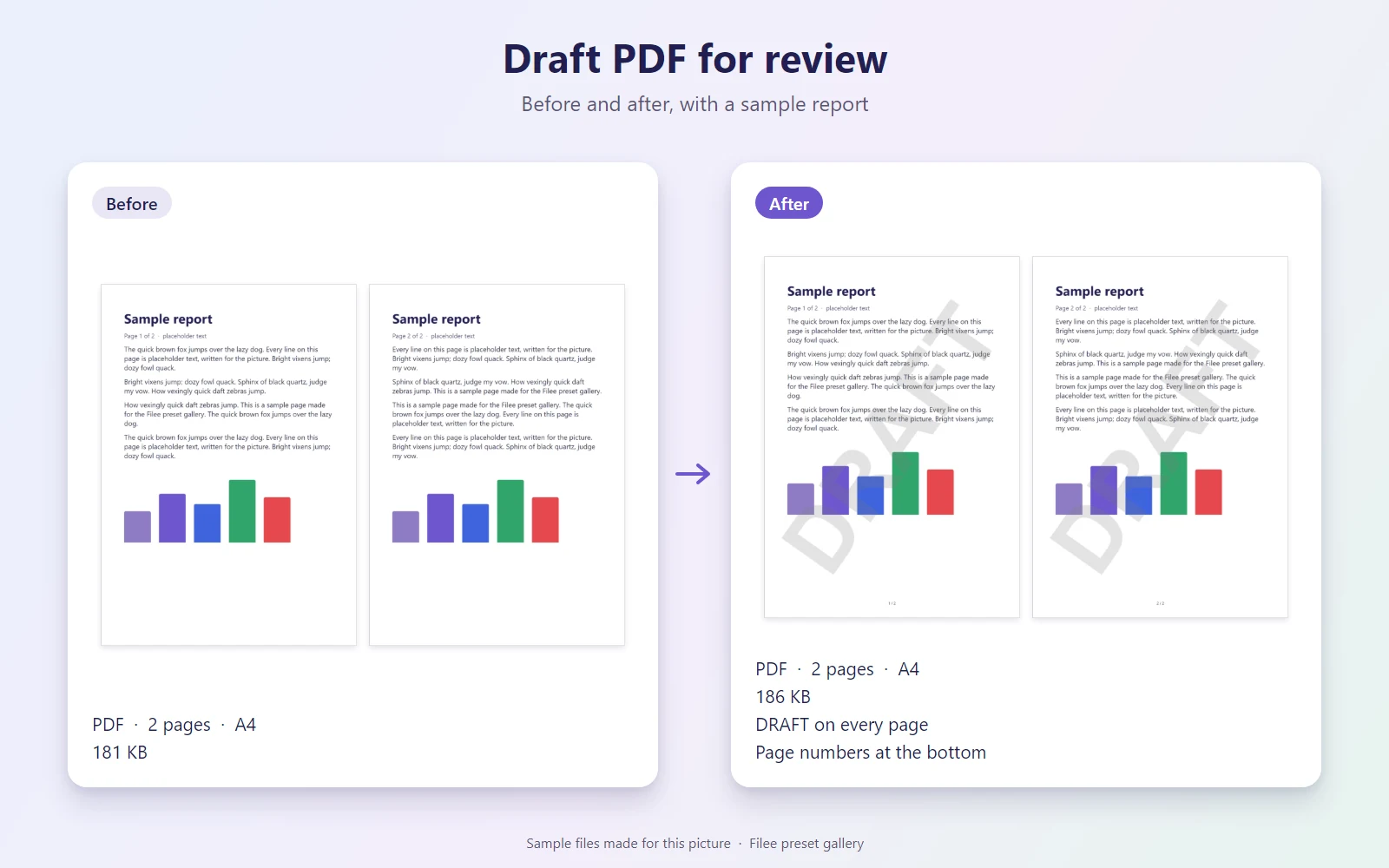
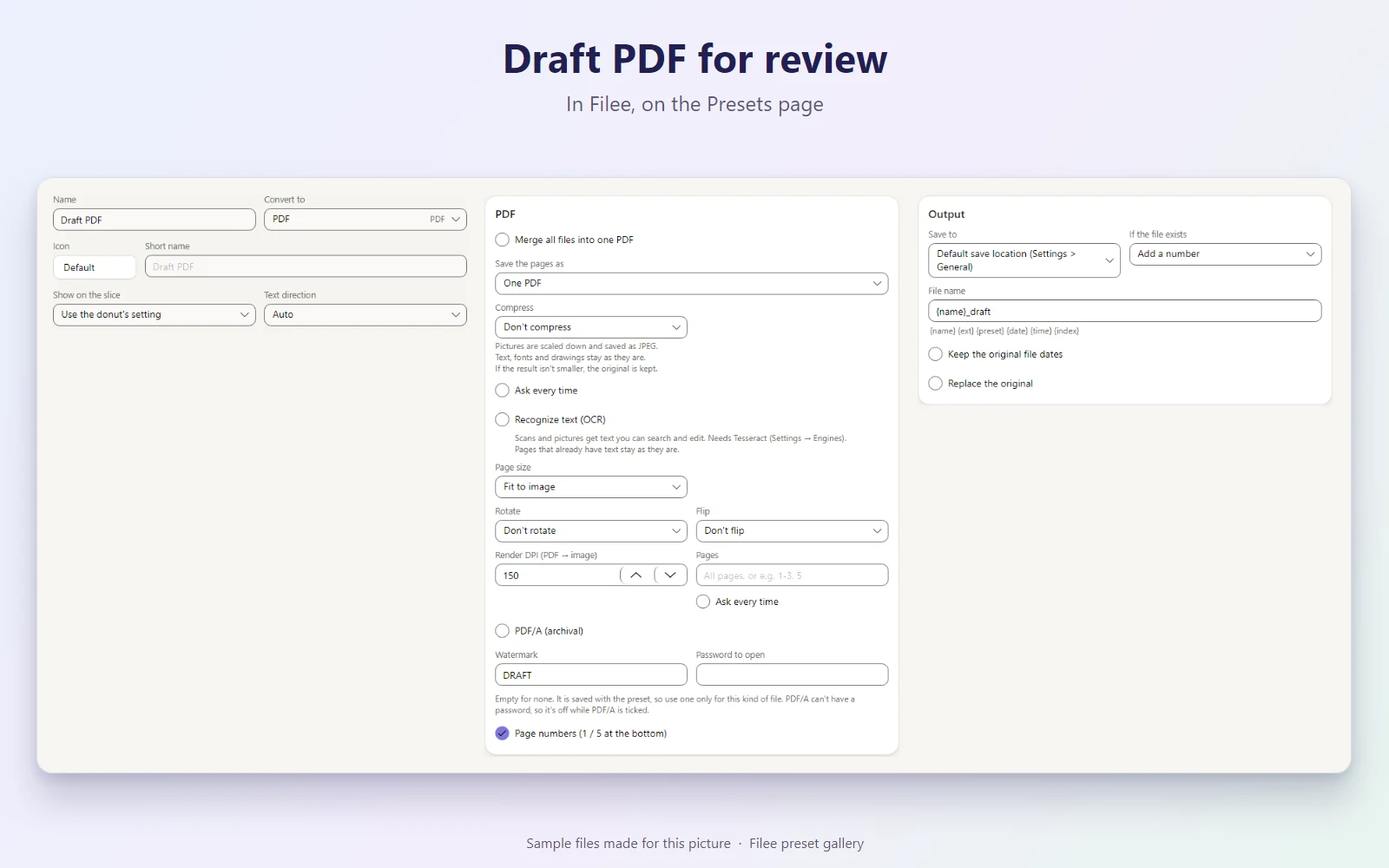
Turns documents (Word, HWP, ODT, PowerPoint and others) or existing PDFs into a PDF with a large, faint DRAFT across every page and page numbers (1 / 5) at the bottom, so nobody mistakes a review copy for the final one. Saved next to the original as name_draft.pdf. Office documents need LibreOffice (Engines page).
Makes PDF
What it does
| Preset | Kind | Makes | Main options |
|---|---|---|---|
| Draft PDF | Conversion | Adds page numbers |
KnifeLemon shared this preset and its pictures under CC0 1.0: anyone may use, change and share them, without conditions. About CC0
Something wrong with this preset? Tell us in its comments, or ask for its removal.
Download Filee
Most formats convert right after installing.
Engines for video, audio and rare formats are added in the app when you need them.

Or with WinGet winget install KnifeLemon.Filee
macOS is a preview. Linux needs Ubuntu 22.04 or later; drag gestures need X11 (experimental on KDE Plasma with Wayland).
Filee is free and stays free. Sponsor its development