



















Photos for social media
0 likes1 download0 comments
Read this before installing
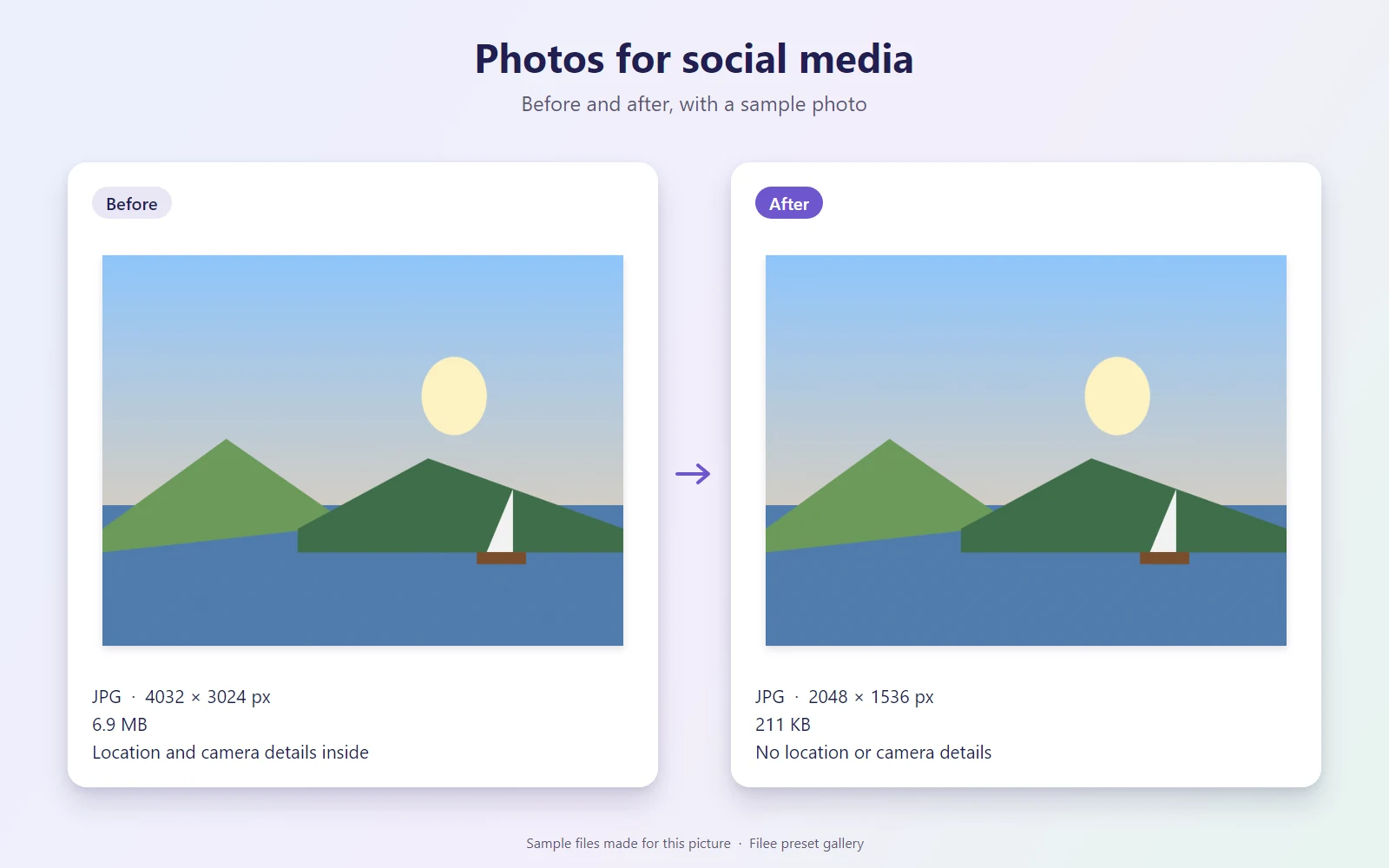
- Removes metadata such as camera details and location from the results.
Install it
- Open Filee and go to Presets.
- Click Preset gallery and find “Photos for social media”.
- Click Install. The presets are added next to your own and never replace them.
Or download the file, then open General in Filee's settings and click Import…
SHA-256 a332432476be4da206699a2189028fbcc98127415ae6516b1b8d63769ea0b801
Needs Filee 2.5.0 or later.
About this preset
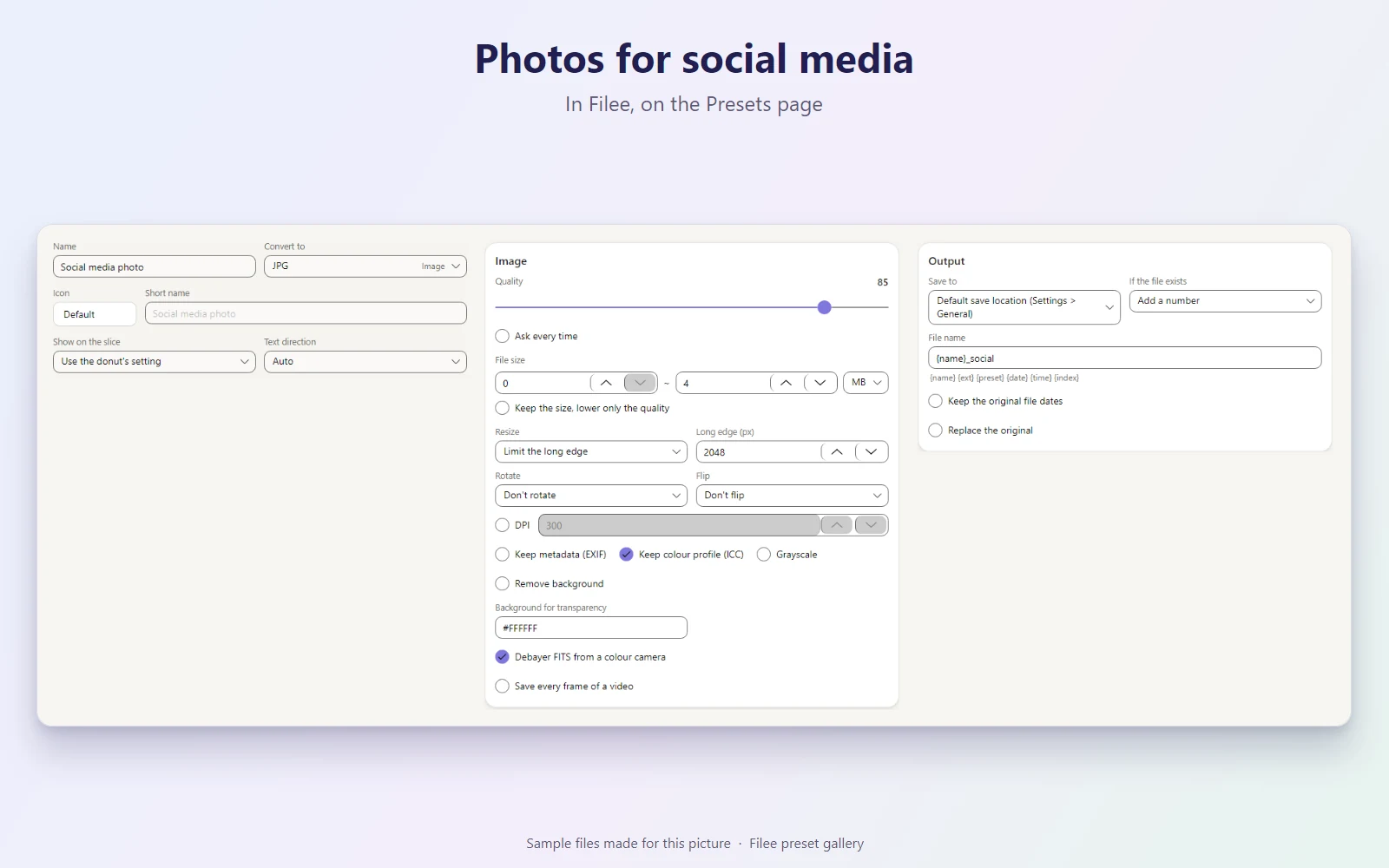
Turns photos (JPG, PNG, HEIC, WebP and more) into JPGs ready for Instagram, Facebook, X or Threads: the long edge becomes 2048 px, quality 85, and every file stays under 4 MB. Location, camera and other metadata are removed so you don't share where a photo was taken; the colour profile stays, so colours look right. Saved next to the original as name_social.jpg.
Makes JPG
What it does
| Preset | Kind | Makes | Main options |
|---|---|---|---|
| Social media photo | Conversion | JPG | Quality 85 · Long edge 2048 px · Up to 4 MB · Removes metadata |
KnifeLemon shared this preset and its pictures under CC0 1.0: anyone may use, change and share them, without conditions. About CC0
Something wrong with this preset? Tell us in its comments, or ask for its removal.
Download Filee
Most formats convert right after installing.
Engines for video, audio and rare formats are added in the app when you need them.

Or with WinGet winget install KnifeLemon.Filee
macOS is a preview. Linux needs Ubuntu 22.04 or later; drag gestures need X11 (experimental on KDE Plasma with Wayland).
Filee is free and stays free. Sponsor its development