Free file converter for Windows, macOS and Linux Drag. Drop. Converted.
Convert images, PDFs, Word, Excel and PowerPoint files, videos, music, e-books, archives and more, right on your PC. Hold a key, drag the files and drop them on a format. No upload, no account, free and open source.
Windows 10/11 · macOS and Linux preview · Free
Converted files
- Your converted files show up here
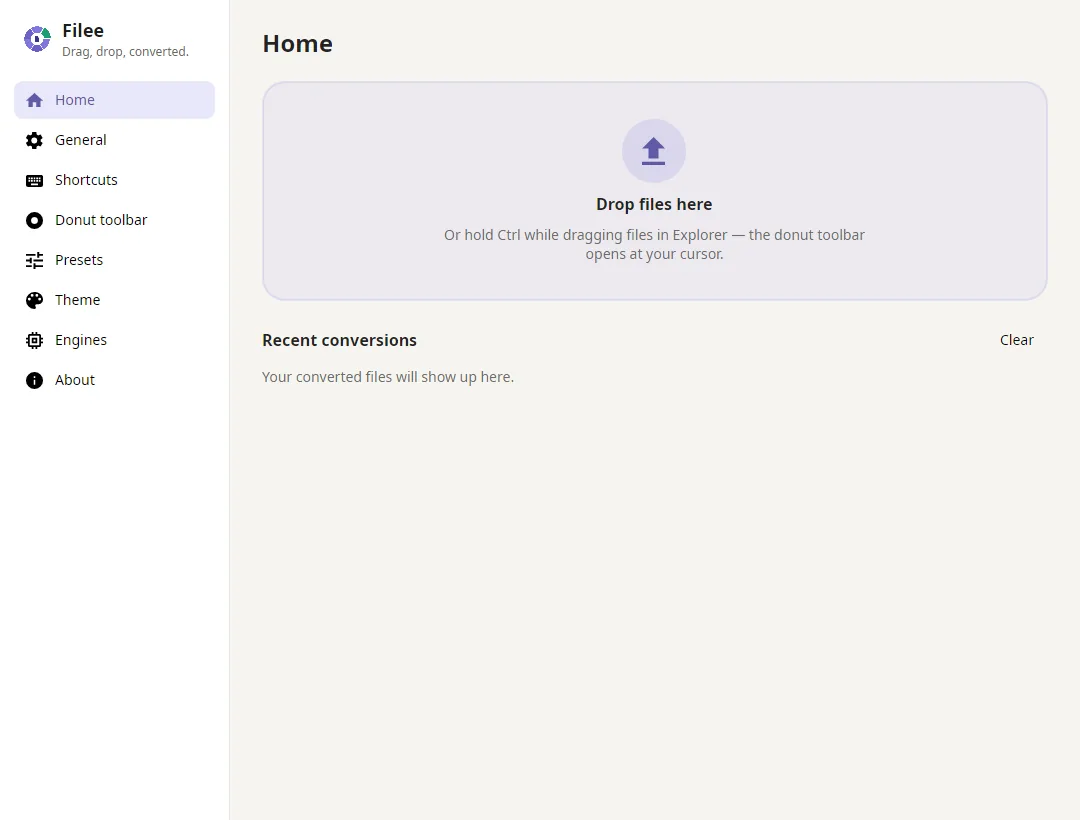
Ctrl+Drag a file onto the stage
With a keyboard: focus a file, press Enter, choose with the arrow keys, Enter to convert.
See it in 27 seconds
The same gesture converts single images, batches of documents and HWP files without Hancom Office.
Convert files in three steps
- 1
Hold a key and drag
Select files in File Explorer or on the desktop and drag them with Ctrl held down, or any modifier key you choose.
- 2
Drop on a format
A donut of the formats that fit those files opens at your cursor. Move onto one and let go.
- 3
Done, next to the original
A progress ring counts up and the new files appear beside the originals. Prefer menus? Right-click and choose Convert with Filee.
What Filee does
A donut at your cursor
The formats appear where you already are, with no app window in the way. A modifier key, mouse button, hold gesture or keyboard shortcut opens it. One slice can hold a group of presets.
240+ formats, one gesture
Images, PDF, Word, Excel, PowerPoint, HWP, e-books, video, audio, subtitles, data files, 3D models, archives, CAD drawings and fonts. Filee plans the route between formats automatically.
No Office needed
Word, Excel and PowerPoint files convert without Microsoft Office or LibreOffice, and HWP without Hancom Office. Filee doesn't use Office or Hancom Office even when they are installed.
Batch conversion
Drop 1 file or 100. They're converted in parallel, a failure never stops the rest, and presets can merge everything into one PDF or one ZIP.
100% on your PC
Nothing is uploaded. Filee works offline, so private documents, photos and recordings never leave your computer.
Right where you work
The drag gesture, Convert with Filee in the right-click menu (on Windows 11 also in the top-level menu), Send To, a keyboard shortcut or the drop zone in the main window.
Presets per file type
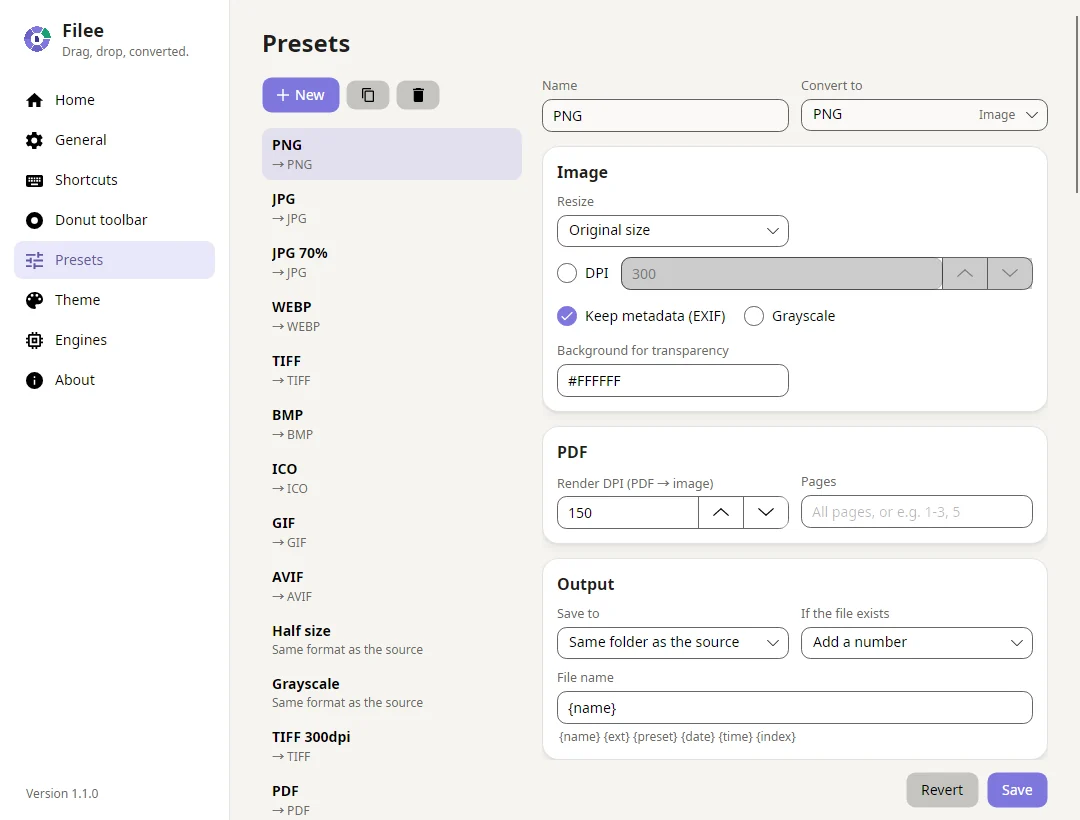
Quality, resizing, rotate and flip, DPI, grayscale, metadata, background removal, Trace to SVG, TIFF compression, ICO sizes, PDF merge, split, page ranges, compression and one long image, 720p, HEVC and AV1 video, hardware encoding, every frame as pictures, MP3 bitrate, output folder, file names and the original file dates.
Engines on demand
Large engines are optional. Tick them in the installer or download them in the app later: FFmpeg, LibreOffice, Calibre, Ghostscript and Pandoc. Filee shows their versions, download speed and time left. Already have FFmpeg, calibre or Pandoc? Filee finds them and skips the download.
Free and open source
MIT licensed, no ads, no account. In English, Korean, Simplified Chinese, Polish, Spanish and Hindi. Filee tells you about new versions; every release lists its changes and contributors.
244 formats in 17 categories
Filee finds the best route between formats automatically, for example HWPX → PDF → PNG, and uses the engine that does each step best.
- Images 36 formats JPG · PNG · WEBP · AVIF · HEIC · TIFF
- Vector graphics 12 formats SVG · SVGZ · EMF · WMF · AI · EPS
- PDF 1 format PDF
- Documents 23 formats DOCX · DOCM · DOTX · DOTM · DOC · DOT
- HWP (Hangul) 2 formats HWP · HWPX
- Spreadsheets 13 formats XLSX · XLSM · XLTX · XLS · XLT · ODS
- Presentations 11 formats PPTX · PPTM · POTX · PPSX · PPT · ODP
- Text & markup 14 formats TXT · Markdown · HTML · reStructuredText · LaTeX · Org
- Data 6 formats JSON · JSON Lines · YAML · TOML · XML · vCard
- E-books & comics 24 formats EPUB · KEPUB · MOBI · AZW · AZW3 · AZW4
- Video 22 formats MP4 · MOV · MKV · WEBM · AVI · M4V
- Audio 30 formats MP3 · M4A · M4B · AAC · WAV · FLAC
- Subtitles 9 formats SRT · ASS · SSA · WebVTT · SAMI · LRC
- Archives 28 formats ZIP · 7Z · RAR · TAR · TAR.GZ · TAR.BZ2
- CAD drawings 2 formats DWG · DXF
- 3D models 6 formats GLB · glTF · STL · OBJ · 3MF · PLY
- Fonts 5 formats TTF · OTF · WOFF · WOFF2 · EOT
For HWP users
HWP and HWPX without Hancom Office
Filee reads and writes Korean Hangul documents itself, so there is no Hancom license to buy and no approval dialog to click through.
- HWP, HWPX → PDF, PNG, JPG, DOCX, TXT, Markdown, HTML, EPUB
- HWP → HWPX
- HWPX → HWP
- DOCX, XLSX, PPTX, Markdown, PDF → HWPX
- DOCX, XLSX, PPTX, Markdown, TXT, HTML, PDF, EPUB → HWP
- DOCX → HWPX keeps page setup, headers and footers, tables with merged cells, text boxes and pictures
HWP guides
For automation
Convert from the command line, or let a folder do it
The filee command converts files, wildcards and whole folders with your presets, prints JSON for scripts and returns exit codes. Watch folders convert whatever lands in them, in the app or in a terminal.
filee convert *.heic --to jpgwith any of the 240+ formats- Downloads and scans converted as soon as they are complete
- Originals moved aside, so a folder works like an inbox
- JSON output and exit codes for scripts and scheduled tasks
D:\Inbox> filee watch . --to pdf --move-originals
Watching D:\Inbox → PDF, saving to D:\Inbox\converted. Press Ctrl+C to stop.
ok    scan-0412.jpg -> converted\scan-0412.pdf
ok    receipt.heic -> converted\receipt.pdf
ok    contract.docx -> converted\contract.pdf
Make the donut yours
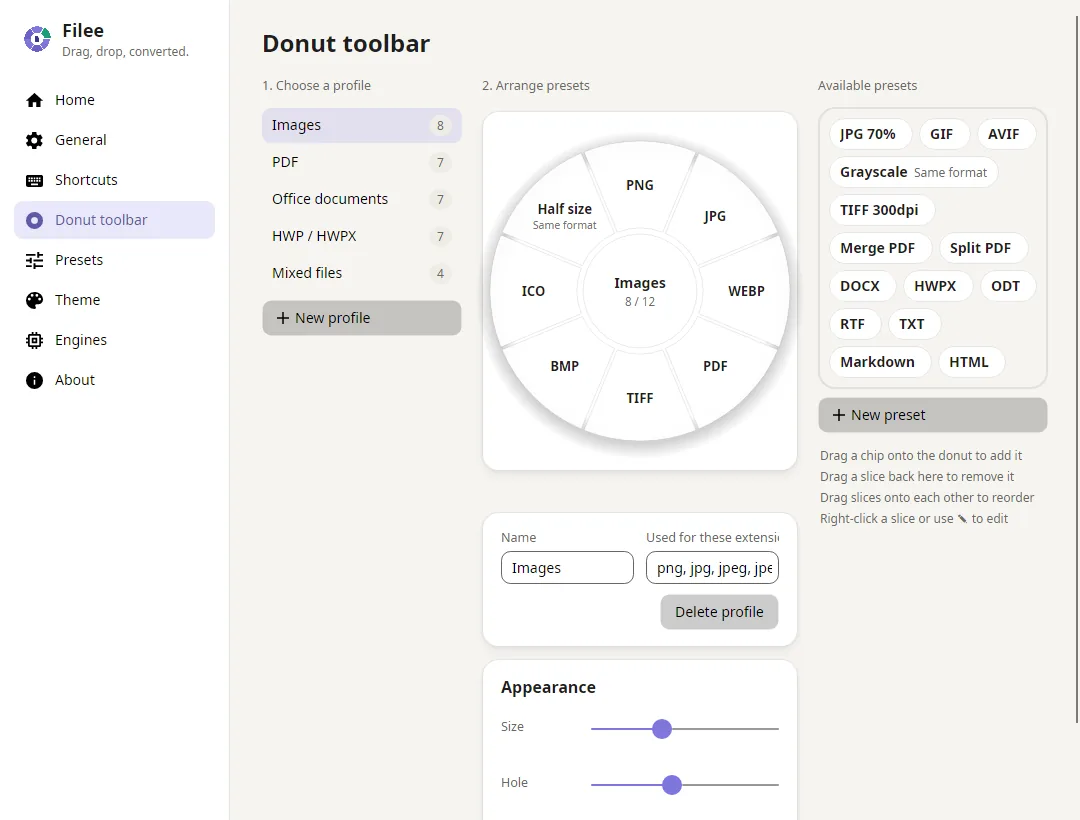
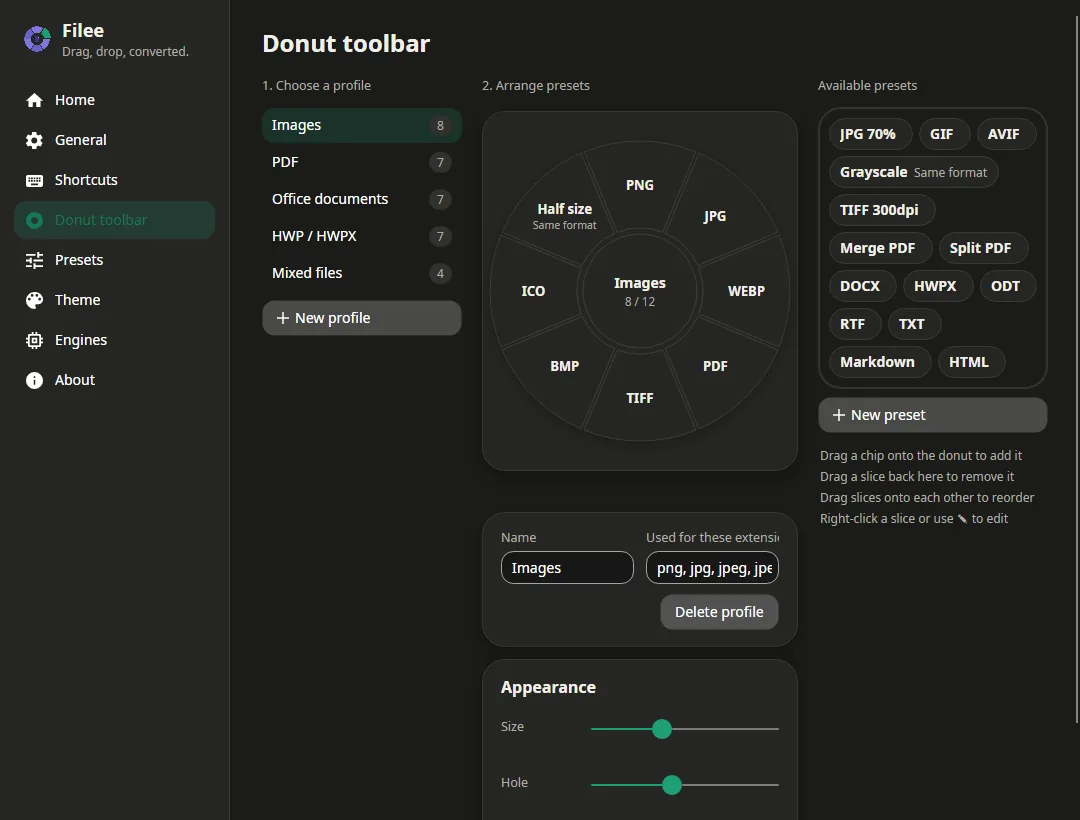
Arrange formats on a live donut by drag & drop: one toolbar per file type, extension tags, and toolbars for mixed selections.
Questions & answers
Short answers about price, privacy, formats and how Filee works.
Is Filee really free?
Yes. Filee is free and open source under the MIT license: no ads, no watermarks, no account, no trial and no file-count or file-size limits of its own.
Does it work offline? Are my files uploaded?
Every conversion runs on your own PC and files are never uploaded. The internet is only used to download an optional engine or check for updates, so confidential documents, photos and recordings stay on your computer.
Which file formats does Filee support?
Filee reads 244 file formats in 17 categories: images, vector graphics, PDF, documents, Korean HWP/HWPX, spreadsheets, presentations, text and markup, data files, e-books and comics, video, audio, subtitles, archives, CAD drawings, 3D models and fonts. 136 of them work right after install; the others use a free optional engine. The format catalog lists every format and what it converts to.
Do I need Microsoft Office, Hancom Office or LibreOffice?
No. Word, Excel and PowerPoint files (DOCX, XLSX, XLS, CSV, PPTX) and Korean HWP/HWPX documents are converted by engines built into Filee. Filee doesn't use Office or Hancom Office even when they are installed; LibreOffice is only an optional in-app download for older formats such as DOC, PPT, ODT and RTF.
What are the optional engines?
Large engines are not in the installer. Tick them on the installer's engine page, or download them inside Filee whenever you need them: FFmpeg for video and audio, subtitle extraction and saving HEIC (about 100 MB); LibreOffice for older office formats such as DOC, PPT and ODT (about 420 MB); Calibre for rare e-book formats and MOBI/AZW3 output; Ghostscript for EPS and PostScript; Pandoc for LaTeX, Org, AsciiDoc and other markup, Word → Markdown and Markdown → slides (about 42 MB). They are saved in Filee's own folder and can be removed at any time, and the app shows their versions, download speed and time left. If FFmpeg, calibre, Pandoc, Ghostscript or LibreOffice is already on your PC (on the PATH, Scoop included, or in Program Files), Filee uses it and skips the download, and says when that copy is older than the version it is tested with. Settings → Engines → Use my copy picks a specific one.
Does installing Filee need administrator rights?
Only once, while installing. The installer puts Filee in Program Files for all users and, on Windows 11, adds “Convert with Filee” to the top of the File Explorer menu. Filee itself then runs as your normal user. If you can't install programs, use the portable ZIP: unzip it anywhere and run Filee.exe.
Can I convert many files at once?
Yes. Select as many files as you like and drop them once: Filee converts them in parallel, a failed file never stops the others, and presets can merge everything into one PDF or pack it into one ZIP.
Can I convert from the Windows 11 right-click menu?
Yes. Right-click files in File Explorer and choose "Convert with Filee". On Windows 11 you can also put it in the top-level menu, without "Show more options": click "Add to the main menu" in Settings → General once and approve the administrator prompt. Send To, a keyboard shortcut and the drop zone in the main window work too.
Can Filee convert from the command line or automatically?
Yes. Setup can add the filee command to PATH: filee convert *.heic --to jpg converts files, wildcards and folders with your presets, prints JSON for scripts and returns exit codes. Watch folders automatically convert the files that land in a folder and can move the originals aside. Set them up on the Watch folders page in the app or with filee watch in a terminal.
How do I convert a file, for example HEIC to JPG?
Select the files in File Explorer, hold Ctrl (or the key you chose) and drag them. A donut of formats opens at the cursor: drop the files on JPG and the new files appear next to the originals. There are step-by-step guides for the most common conversions.
Why use Filee instead of an online converter?
Online converters upload your files to someone else's server, often limit file size and count, and depend on a fast connection. Filee converts on your PC: private files stay private, large videos and hundreds of files are no problem, and it works without internet, for free and without ads.
Which operating systems are supported?
Windows 10 and 11 (64-bit) is the stable release. macOS 14 or later (Apple silicon and Intel) and Linux (x64 and ARM64) are previews: the macOS app isn't notarized yet, so macOS asks you to allow it once under Privacy & Security, and on Linux the drag gesture needs an X11 session (on Wayland, use the drop zone and the right-click action). Pick your system in the download section.
At a glance
- Price
- Free
- License
- MIT (open source)
- Version
- 1.12.0
- Platform
- Windows 10/11 x64 · macOS 14+ and Linux x64/ARM64 (preview)
- Works offline
- Yes, files never leave your PC
- Formats
- 244 in 17 categories
- Built in
- 136 formats, nothing else to install
- Optional engines
- FFmpeg, LibreOffice, Calibre, Ghostscript and Pandoc
- Command line
- filee convert and filee watch, added to PATH by Setup
- Languages
- English, Korean, Simplified Chinese, Polish, Spanish, Hindi
- Updates
- Installed from inside the app after one click; each says if it's required, recommended or optional
Download Filee
Most formats convert right after installing.
Engines for video, audio and rare formats are added in the app when you need them.
macOS and Linux are previews.
Filee is free and stays free. Sponsor its development